
Sometimes it's faster to book the meeting yourself than to send a link, for example when a client agrees on a time over the phone or in a chat. The Book tab of the DaySchedule Chrome extension books a free slot on one of your event types for someone else.
Book from a name or email on the page
- Select the person's email or name on any page, such as an email signature, a LinkedIn profile or a CRM record.
- Right click and choose Book a meeting with "…".
- The side panel opens on the Book tab with that person filled in. Pick the event type, duration and time zone.
- Click a free time.
- Check the Invitee name and Email, and add a phone number or a note for the invite if you like.
- Click Book and the time.
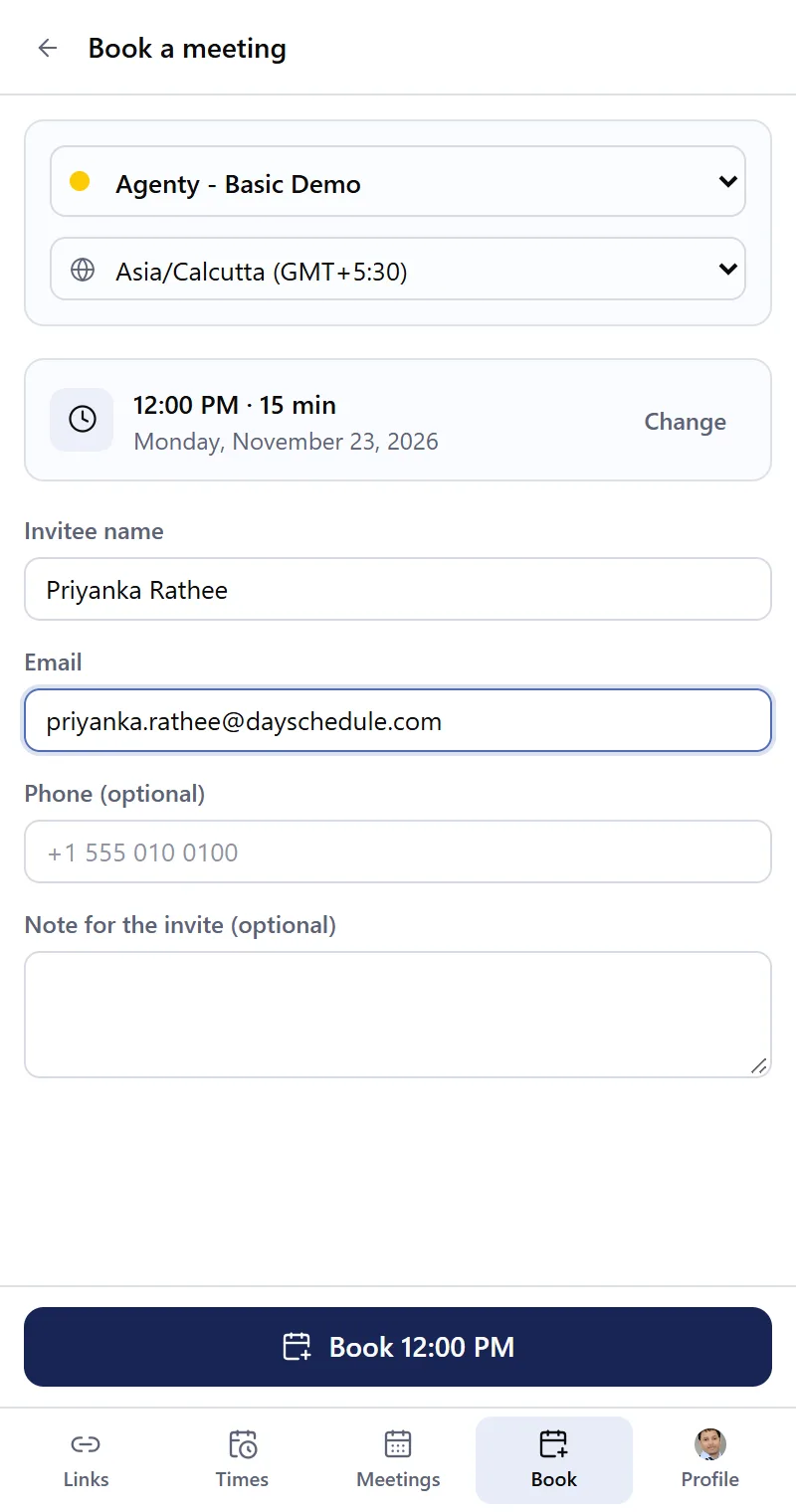
You can also open the Book tab from the toolbar and type the details yourself, or choose Book a meeting for someone on an event type in the Links tab.
After booking
The panel confirms with Meeting booked. Click View meeting to see its details, or Book another to start over.
The meeting is booked the same way as when the invitee books it on your booking page: it's added to your connected calendar, a video link is created for the event's location, and the invitee gets the confirmation email and calendar invite. Your reminders and workflows run as usual.
The note is saved as the meeting description. The time zone you pick is saved as the invitee's, so pick the one they're in and the confirmation shows the time they expect.
Related
- DaySchedule Chrome extension features
- Create a booking from the dashboard, with more options such as guests and custom form fields
- Share a few times and let them choose