
An expirable link is a short booking link that stops working after one booking, or on a date you choose. Send one to each customer when you don't want the same link shared around, for example for free consultations, VIP clients, interview slots or paid session packs.
Create an expirable link
- Open Settings, then Expirable Links, and click Create Link.
- On the Share Link tab, paste the Original URL, the booking page or event link the short link should open, such as
https://acme.dayschedule.com/free-consultation. It must be a dayschedule.com link. When you start from the share icon on a resource card, the URL is already filled in. - Select the Expirable Link tab. Under Expiration, set an Expiration Date (Optional). Without a date, the link expires after one booking.
- Optionally open UTM Builder to add a Referral, UTM Source, UTM Medium, UTM Campaign, UTM Term and UTM Content to the link.
- Click Generate Short Link and copy the Short Link.
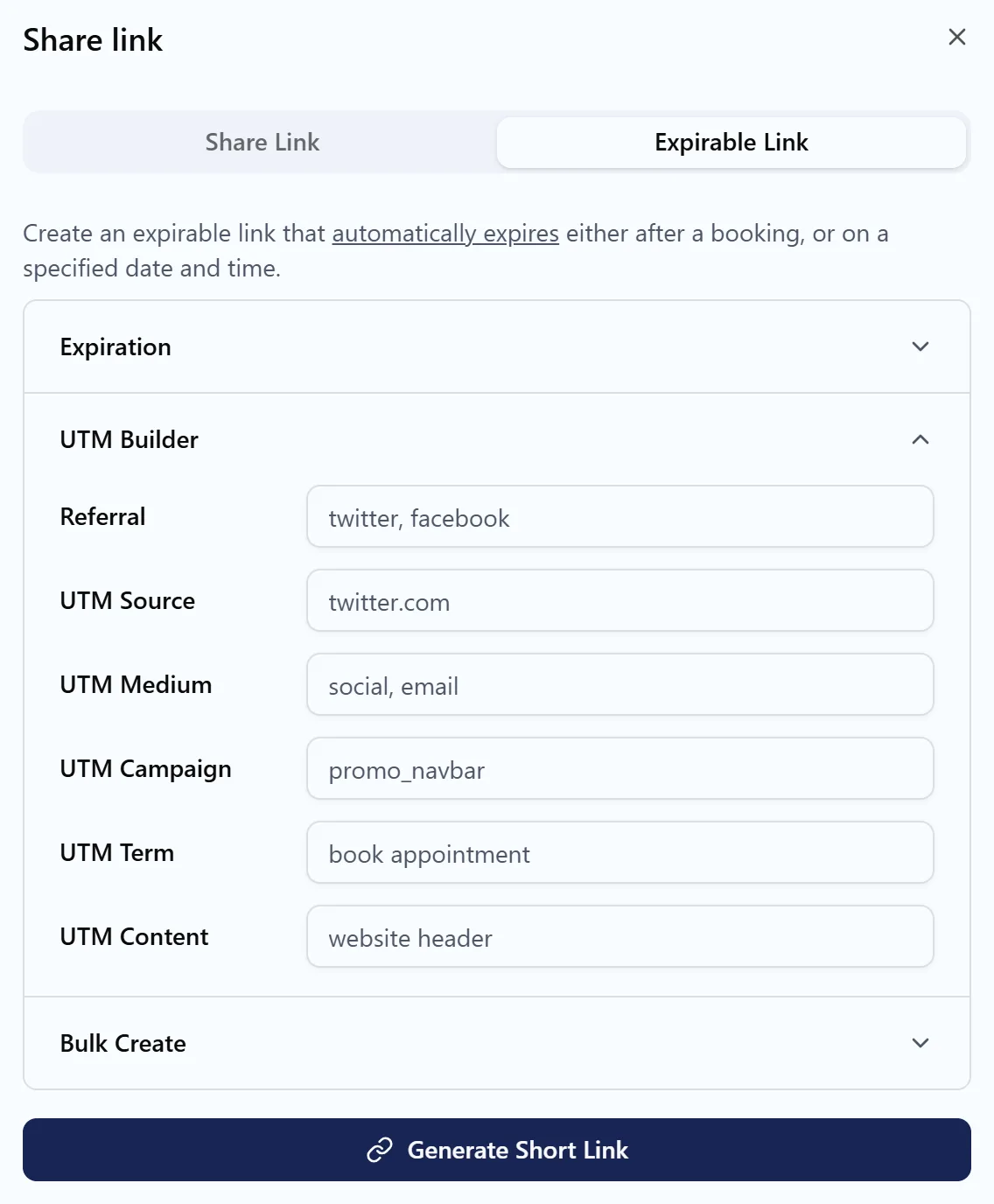
Create links in bulk
Need a unique link for every attendee of a mailing or every buyer of a voucher? Open Bulk Create, enter the Number of links (up to 1000), and click Download Links to get them all in one file. Paste them into your email tool or voucher system so each person gets their own link.
Track and manage links
The Expirable Links page lists every link with its Short URL, Original URL, when it was Created and its Status. Filter by Active or Expired, copy a link again, or select links and delete them.
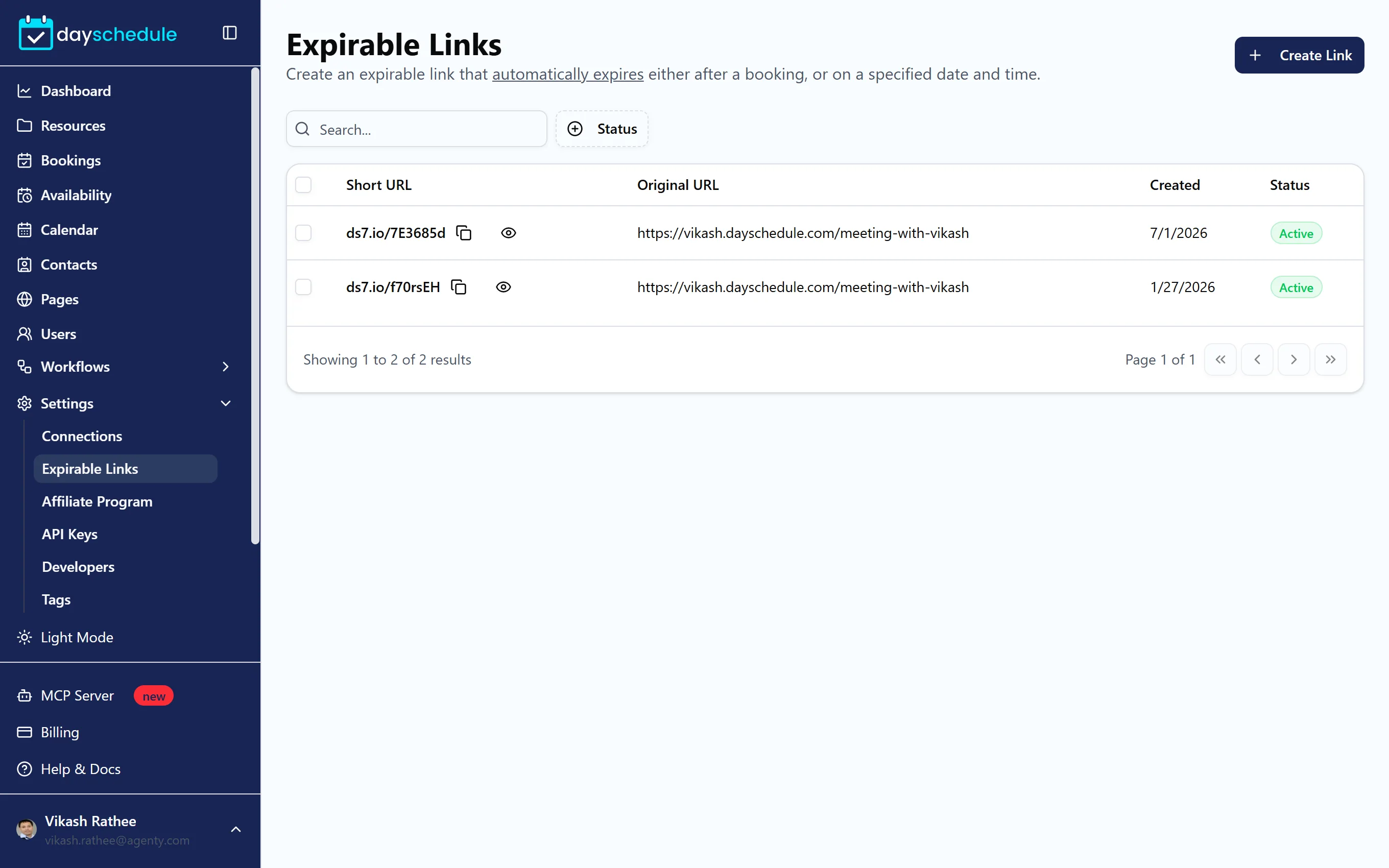
Allow bookings only through expirable links
An expirable link doesn't stop people from booking through the normal event link. To make the event bookable only with a valid one-time link, open the event, select the Advanced tab and turn on Short Link Only. Set the event's privacy to Unlisted too, so it doesn't appear on your booking page. See Advanced event settings.