
Contacts is a lightweight CRM built into DaySchedule. Everyone who books becomes a contact automatically, with their phone, location and the page they booked from, so your leads and customers are in one list without exporting anything.
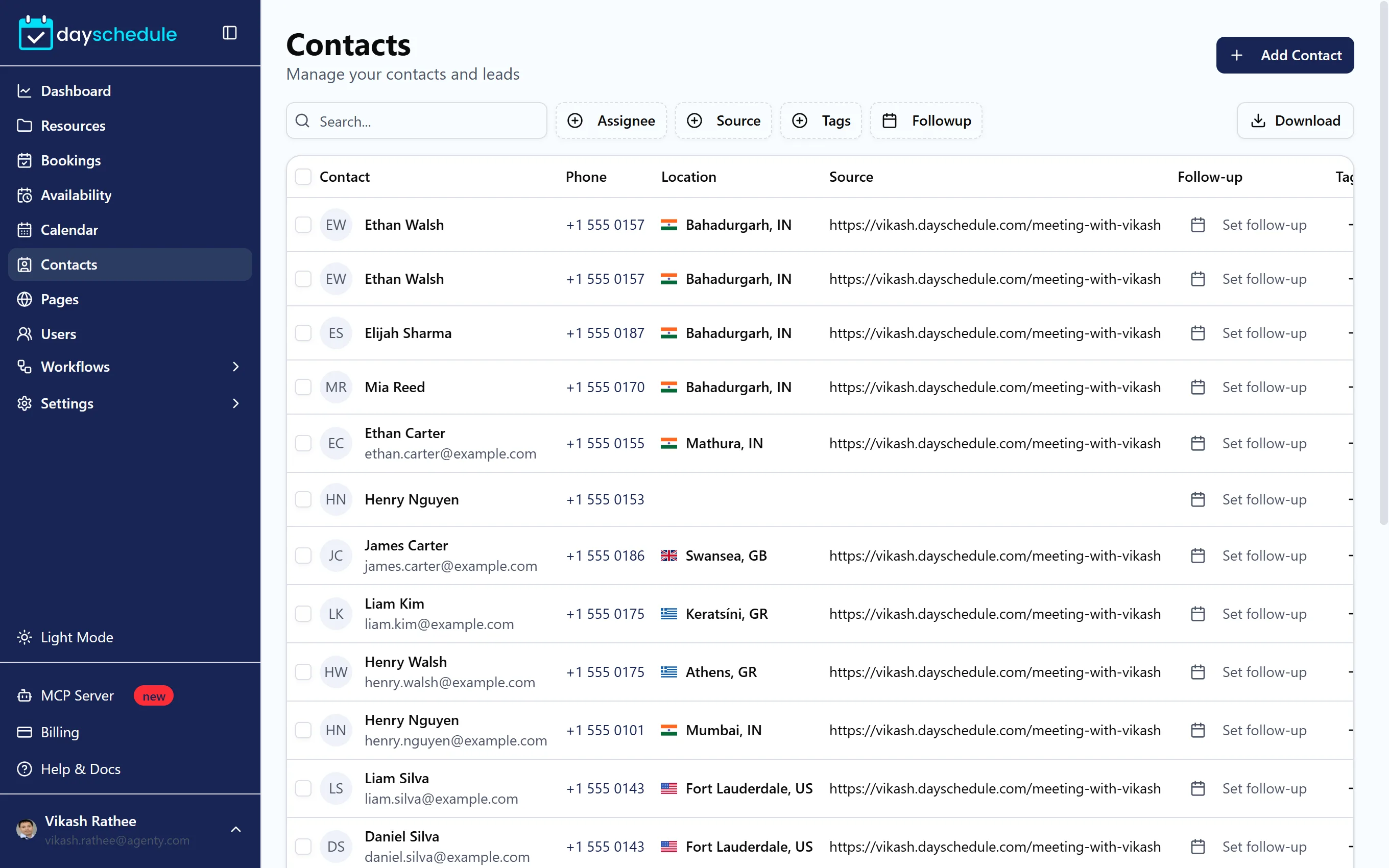
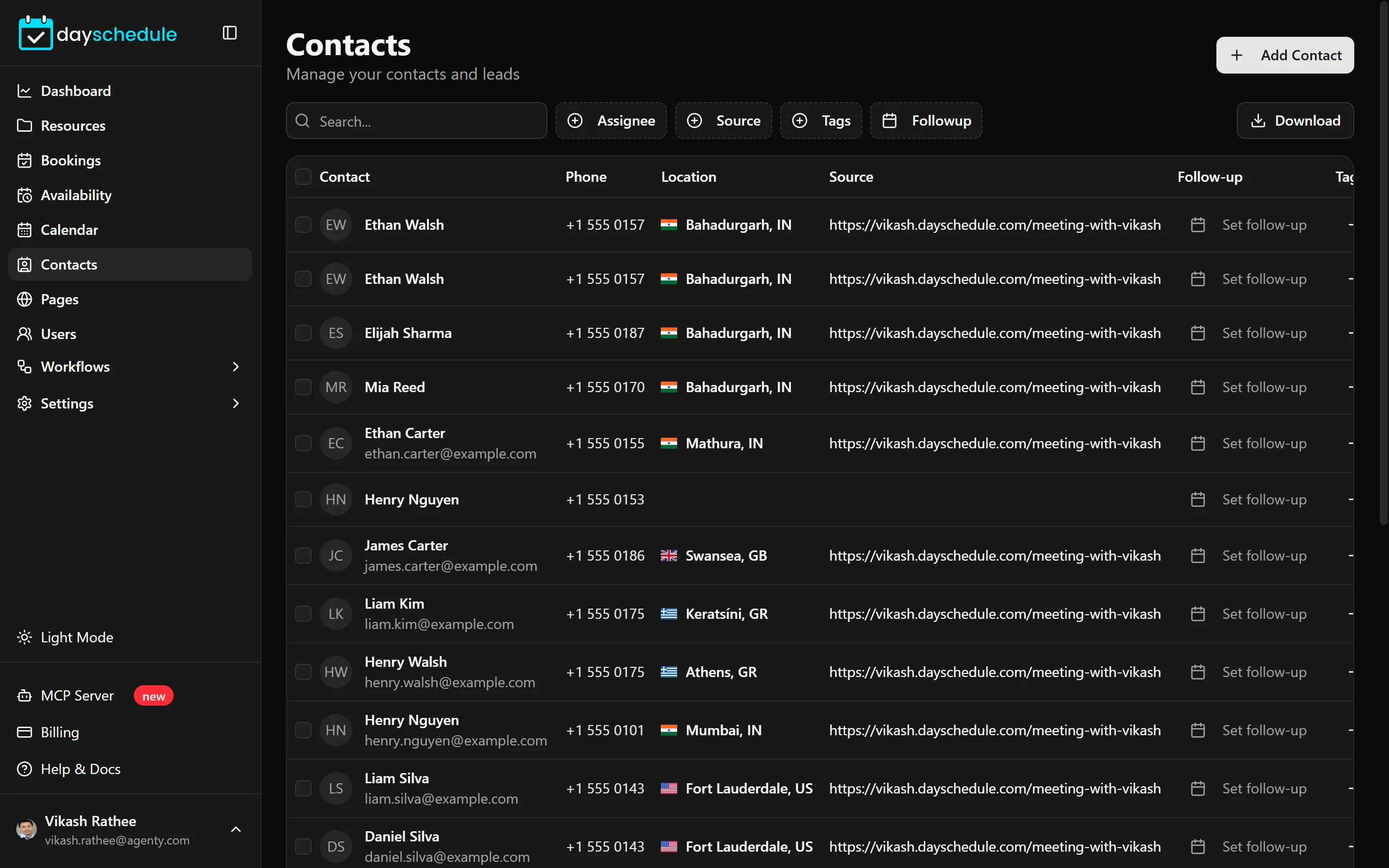
Find and filter contacts
The list shows each Contact with their Phone, Location, Source, Follow-up date, Tags and when they were Created. Filter it by Assignee, Source, Tags or Followup date, or search by name. Download exports the filtered list.
Select contacts with the checkboxes to Assign To a team member or Delete them in bulk.
Add or import contacts
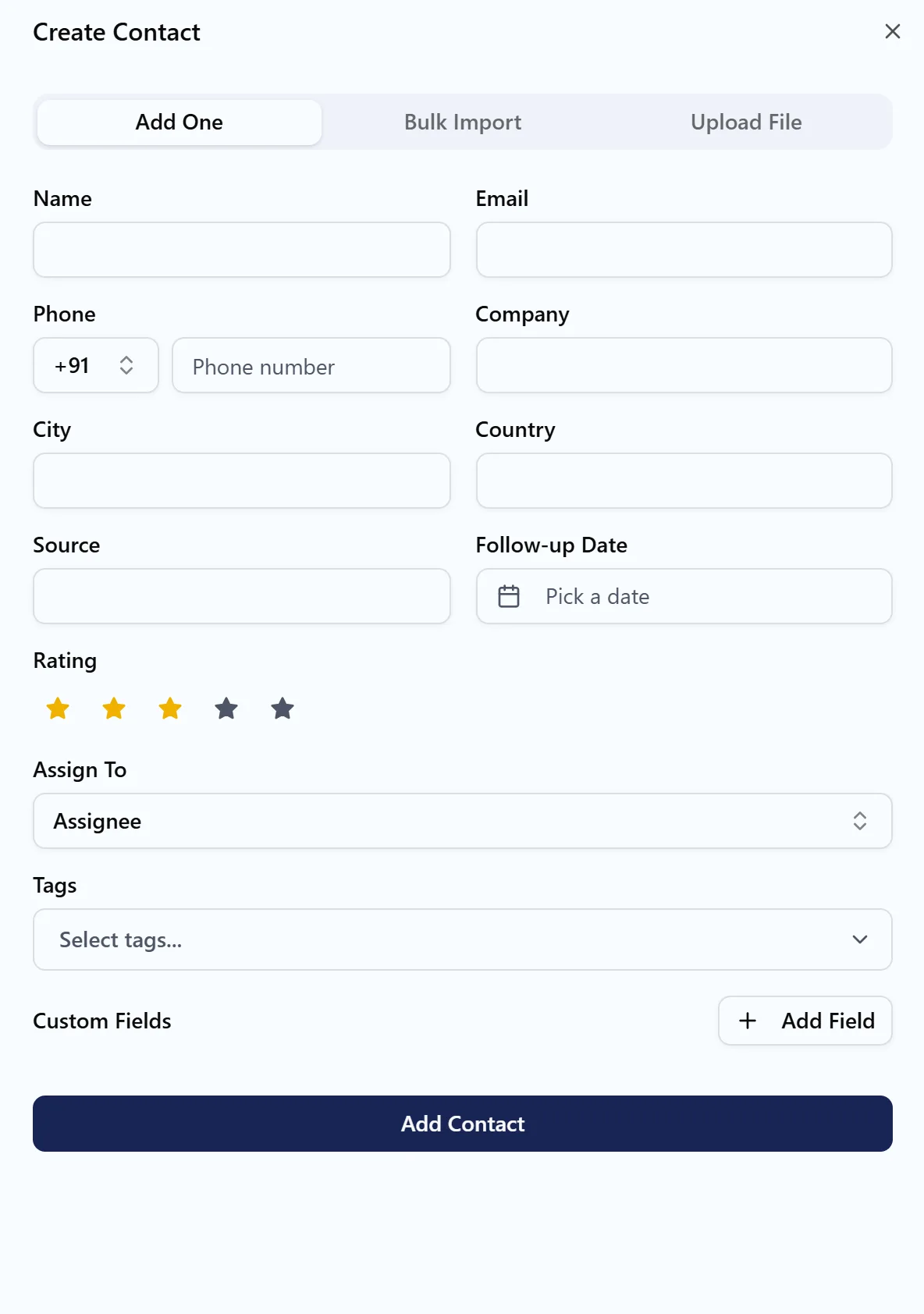
Click Add Contact:
- Add One opens a form with Name, Email, Phone, Company, City, Country, Source, Follow-up Date, Rating, Assign To and Tags, plus any custom fields.
- Bulk Import lets you Paste Contacts in CSV format with a header row, or Upload File with a CSV. Then Map Fields to match your columns to Name, Email, Phone, Company, City, Country, Tags, Source, Rating and Follow Up.
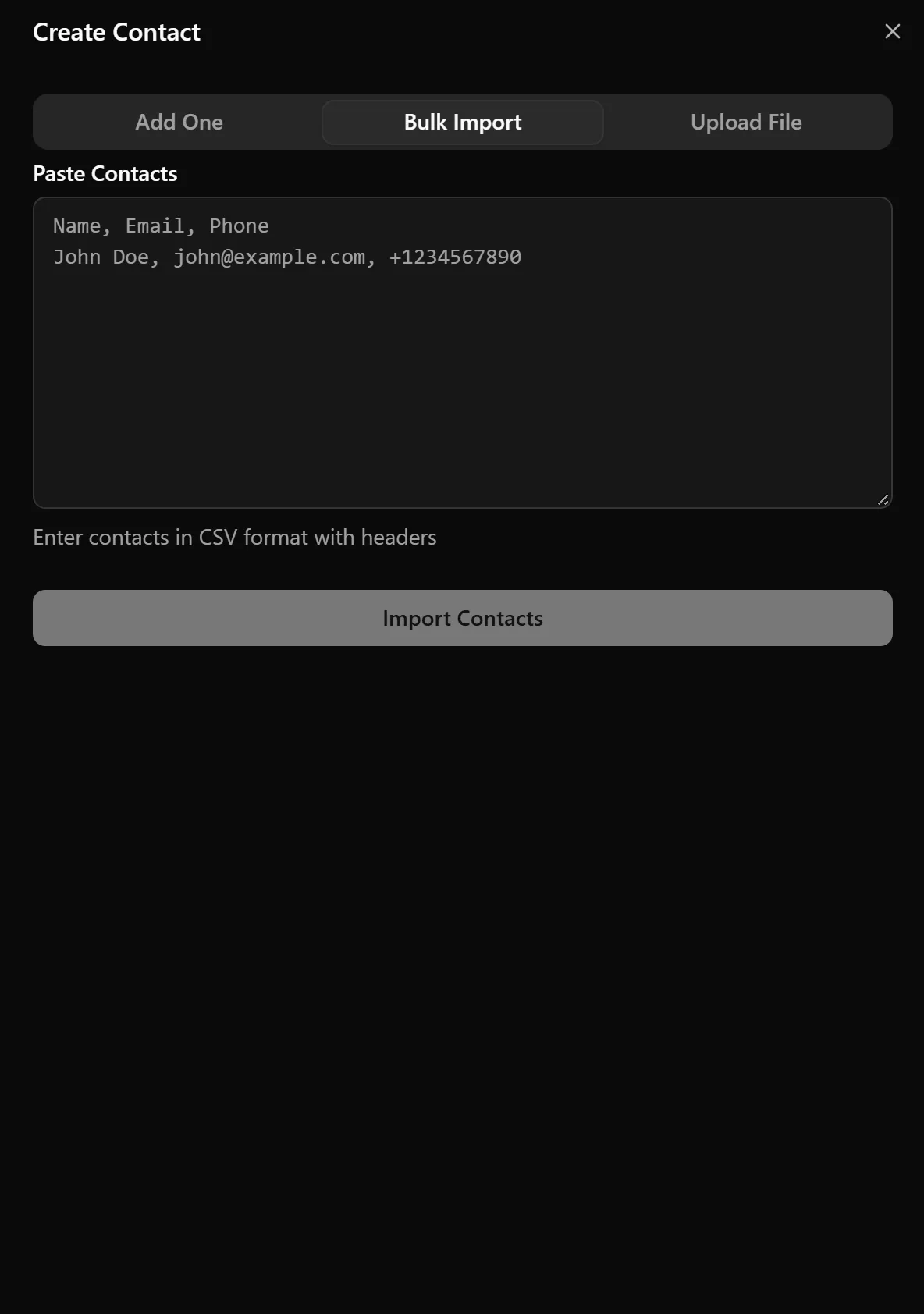
A CSV like this imports three columns:
Name, Email, Phone
Olivia Carter, olivia.carter@example.com, +1 555 0101
Liam Patel, liam.patel@example.com, +1 555 0102
Work with a contact
Click a contact to open their page. About this contact shows their details, follow-up date, rating and tags, with Edit to change them. From the top of the page you can Create Booking for them, Assign to a team member, or Delete Contact.
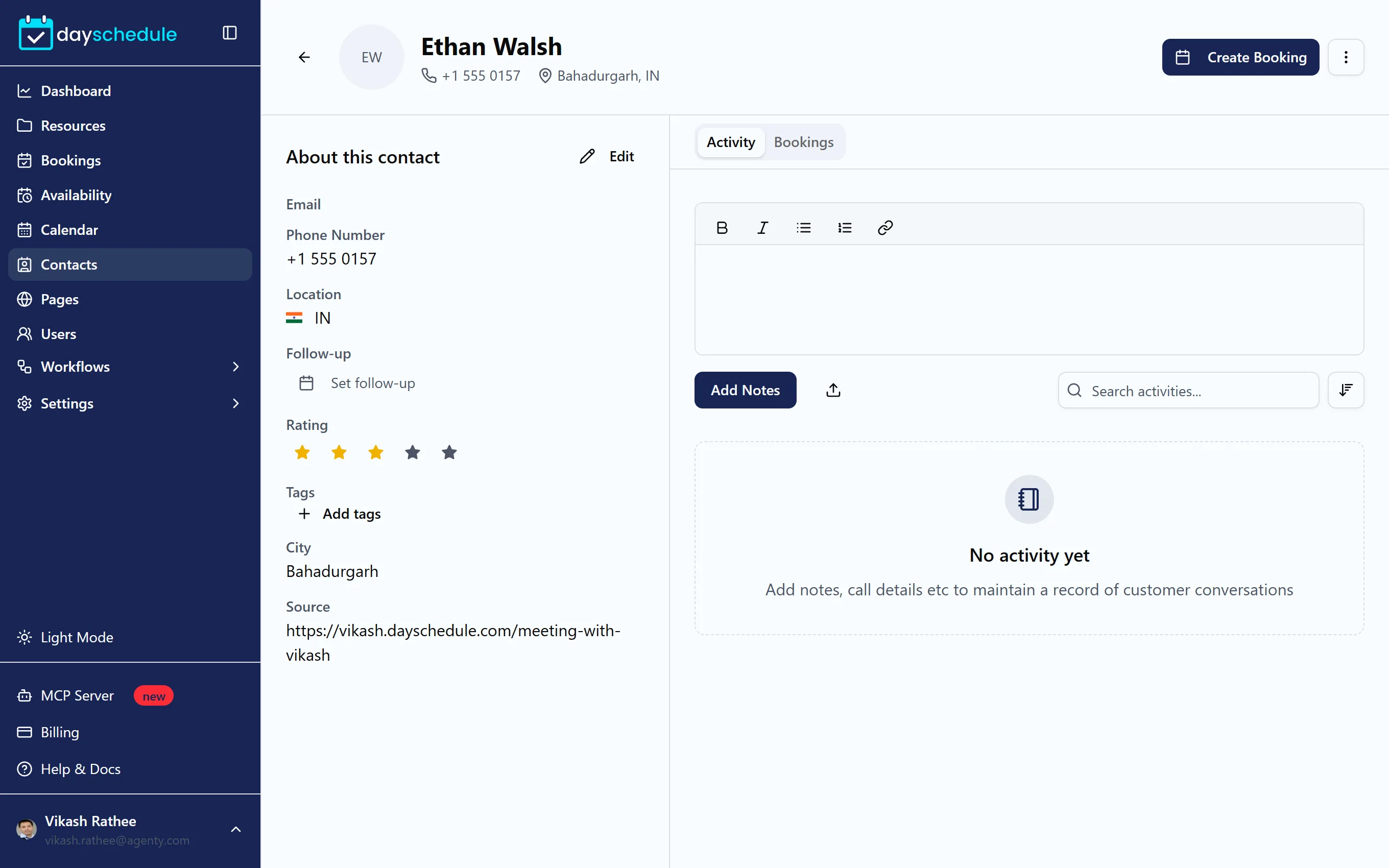
The Activity tab is the contact's timeline. Add a Note, Email, Task, Calendar entry or Log a call, so everyone on your team knows the history of the conversation. The Bookings tab lists every booking the contact has made.
Follow-ups, ratings and tags
- Set a Follow-up date from the list or the contact's page, then use the Followup filter each morning to see who to call.
- Give a Rating from 1 to 5 stars to mark hot leads.
- Add Tags such as
vip,trialorinvoice-due.
To change the tags, sources and custom fields your team can choose from, open Settings, then Tags. The Customization page has Tags, Sources and Custom Fields lists. Only the account owner can change them.
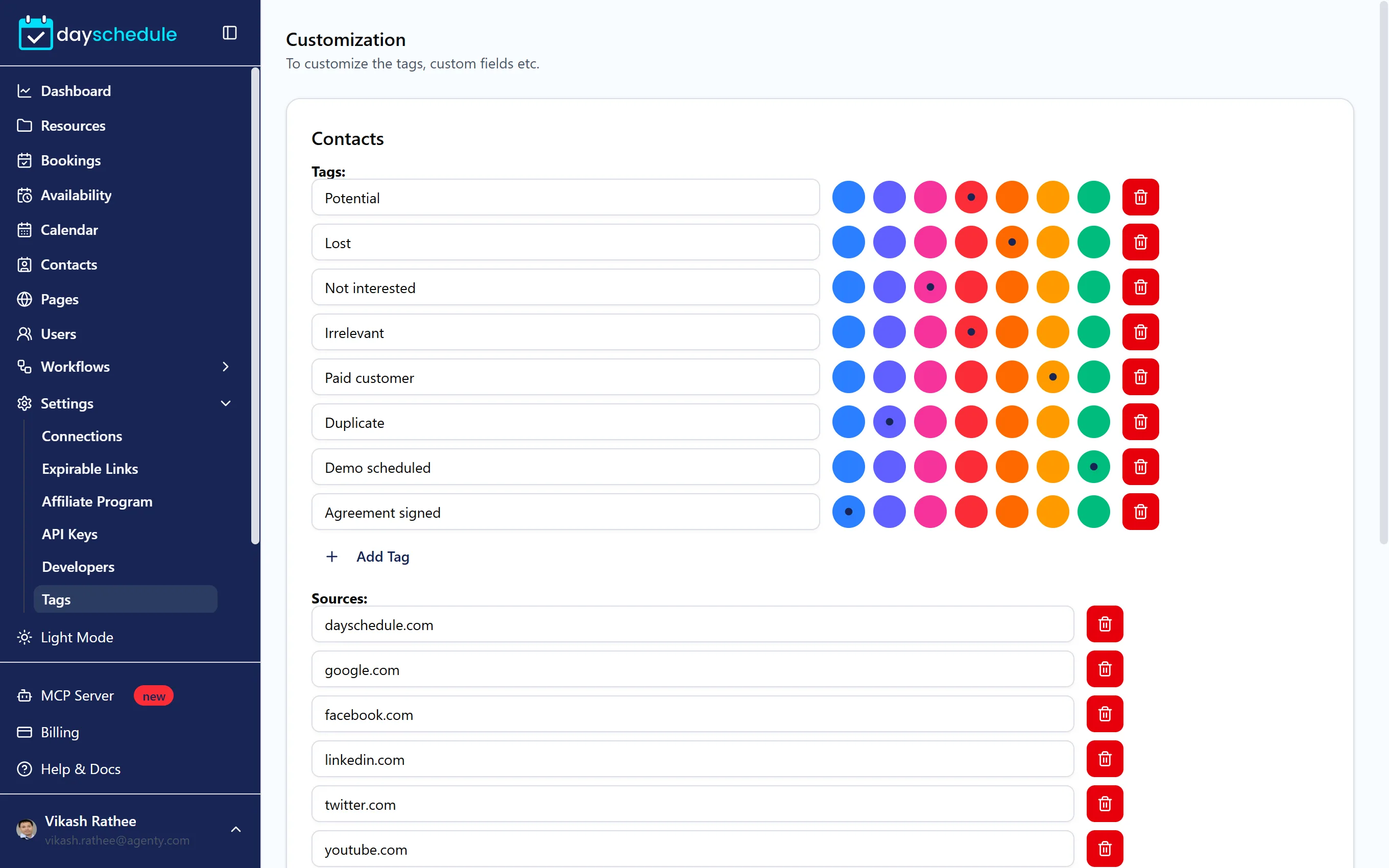
CRM features are part of the paid plans. On the free plan, the page shows "Upgrade to Access CRM Features".
Related
- CRM software
- Integrate DaySchedule CRM with Google Ads
- Connect Salesforce, HubSpot, Zoho CRM or Pipedrive in Connections