
The audit logs record the requests made to your account through the dashboard, the API and connected apps. Use them to debug an integration, find out who changed a booking, or check for unexpected access.
Open Settings, then Audit Logs. The page is titled Logs. Owners, admins and users with the Api Keys permission can see it.
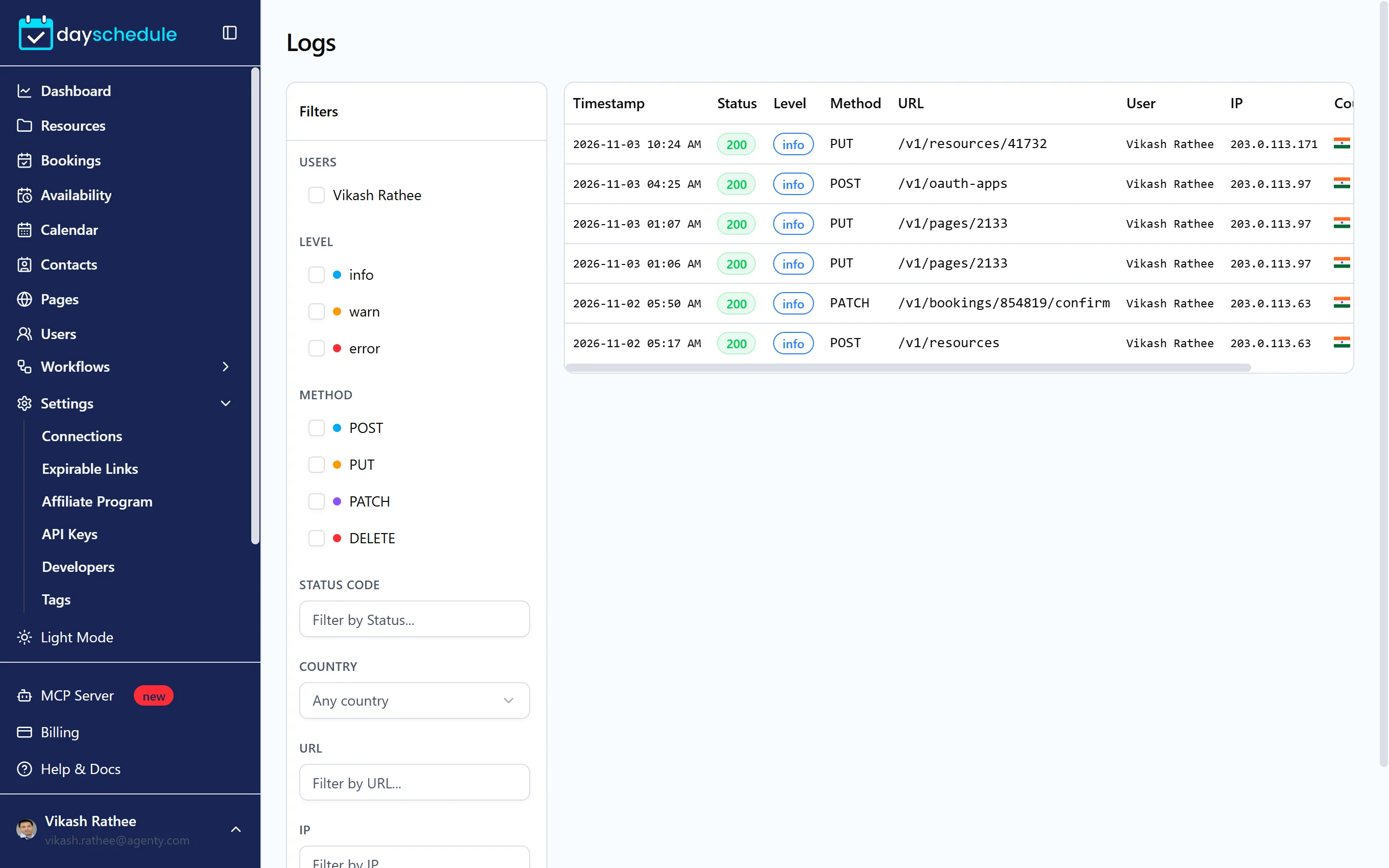
Filter the log
The Filters panel narrows the table by Users, Level (info, warn or error), Method (POST, PUT, PATCH or DELETE), Status Code, Country, URL and IP. Click Clear to reset them. The table shows each request's Timestamp, Status, Level, Method, URL, User, IP, Country and Duration.
To find failed calls from your integration, filter by status code 400 or 500 and by the URL your code calls.
Inspect a request
Click a row to open its details:
- Request Info: timestamp, URL, method and duration.
- Client Info: IP, country, network, user agent and the user.
- Request Body and Response, exactly as sent and returned.
- Error and Logs when the request failed.
The response and error usually tell you what to fix, such as a missing field or an expired token. If you still need help, send the request details to support.